The Apple Card Titanium stands out as a premium metal credit card with a minimalist design.
Its physical structure directly affects how transactions are completed in everyday situations.
Understanding its design and usage limitations helps determine whether it fits your payment habits.
What Is the Apple Card Titanium?
The Apple Card Titanium is the physical card linked to your Apple Card account.
It is designed mainly as a backup when Apple Pay cannot be used. The key details below explain what this card entails.
- Physical Version of the Apple Card – This is the metal card connected to your digital Apple Card account inside the Wallet app.
- Issued by Goldman Sachs – The bank handles underwriting, billing, and account management.
- Runs on the Mastercard Network – Acceptance depends on merchants that support Mastercard payments.
- Made of Titanium – The material gives it a heavier, more durable feel compared to plastic cards.
- Minimalist Design – The card does not display a number, CVV, or expiration date on its surface.
- Digital-First System – Most account features, card details, and security controls are managed through your iPhone.
Physical Card Design Features
The physical design of the Apple Card Titanium focuses on durability and minimalism.
Its structure removes traditional printed details for security reasons. The features below explain what makes the design different from standard credit cards.
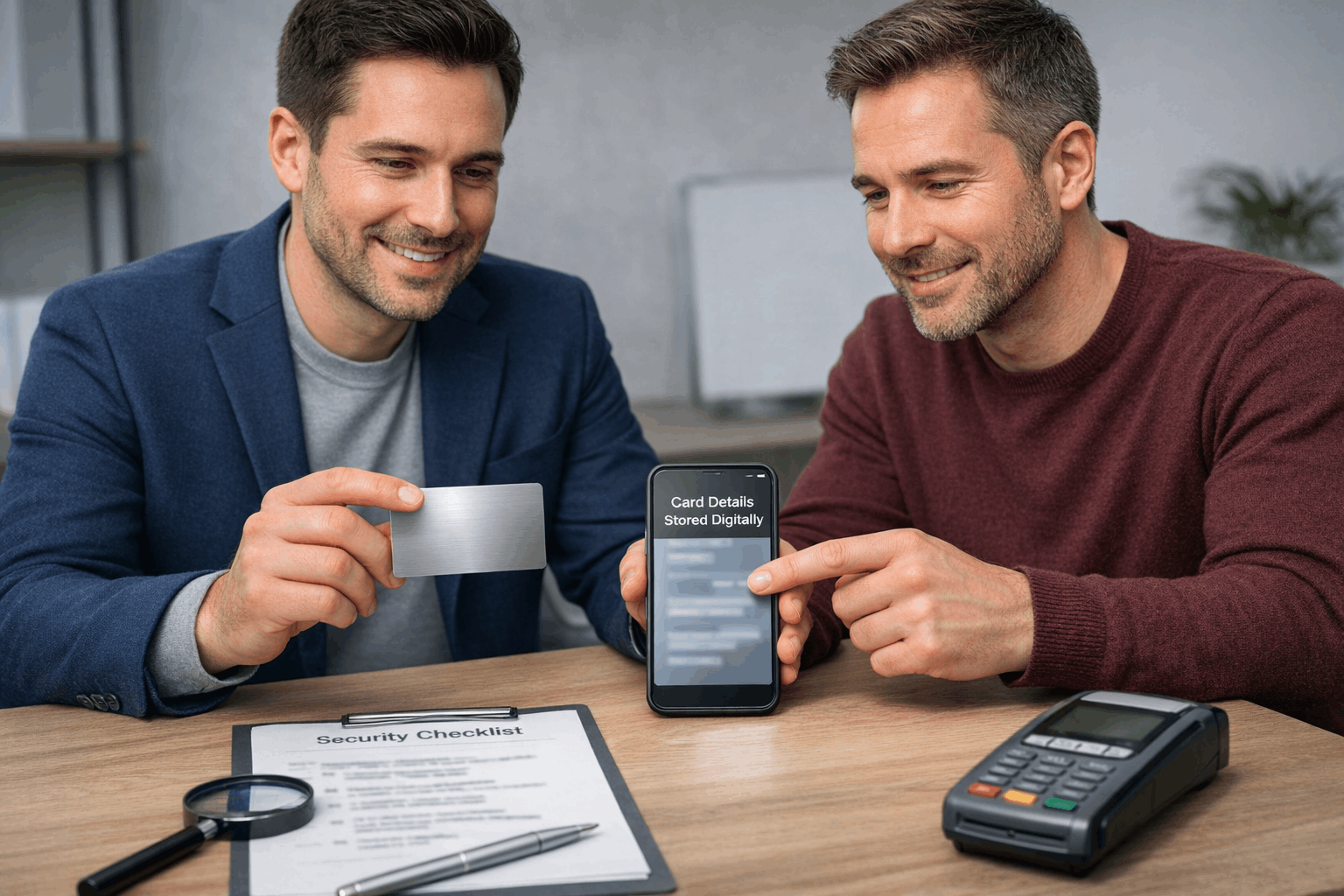
- Titanium Construction – The card is made of titanium, giving it a solid, heavier feel than plastic cards.
- Laser-Etched Name – Your name is engraved directly onto the surface instead of being printed.
- No Printed Card Number – The card number is not displayed on the front or back of the card.
- No CVV or Expiration Date – Sensitive details are stored digitally inside the Wallet app.
- EMV Chip Included – The built-in chip allows secure in-store transactions at compatible terminals.
- Magnetic Stripe – A stripe is included for merchants that still require swipe payments.
- Minimalist Branding – Only subtle branding and chip placement are visible, maintaining a clean layout.
How You Use the Physical Card
The Apple Card Titanium is primarily used when Apple Pay is unavailable. It works like a traditional credit card but offers fewer rewards.
The points below explain how you use the physical card in real situations.
- In-Store Chip Payments – Insert the card into a compatible terminal to complete secure EMV transactions.
- Magnetic Stripe Swipe – Swipe the card at merchants that do not support chip payments.
- Backup Payment Method – Carry it for places that do not accept contactless or mobile wallets.
- Restaurant and Retail Purchases – Hand it to staff when tap-to-pay is not supported.
- International Travel Use – Use it anywhere Mastercard is accepted, subject to merchant availability.
- Access Card Details Digitally – Retrieve the card number, CVV, and expiration date inside the Wallet app for online purchases.
- Track Transactions in Real Time – Monitor spending and receive instant notifications through the app.
Reward Structure Differences
The reward structure changes depending on how the card is used. Higher cashback is earned through Apple Pay, not the titanium card.
The verified Daily Cash rates below explain the differences.
- 3% Daily Cash (Apple Partners) – Earn 3% when using Apple Pay at select partners such as Apple, Uber, Uber Eats, Walgreens, Nike, and select merchants listed by Apple.
- 2% Daily Cash (Apple Pay Purchases) – Earn 2% on all other purchases made using Apple Pay.
- 1% Daily Cash (Physical Titanium Card) – Earn 1% when using the titanium card for chip or swipe transactions.
- Daily Payout System – Rewards are issued daily as “Daily Cash” and deposited to Apple Cash in the Wallet app.
- No Rotating Categories – There are no quarterly activations or category limits required.
- No Reward Cap – There is no maximum limit on the amount of Daily Cash earned.

Usage Limitations You Must Know
The Apple Card Titanium has practical limitations that affect everyday use. It is primarily designed as a backup, not as the primary way to earn rewards.
The points below explain the key restrictions you must understand.
- Lower Cashback Rate – Earn only 1% Daily Cash when using the physical titanium card instead of Apple Pay.
- No Cash Advances – The card does not support cash withdrawals at ATMs.
- Dependent on Mastercard Acceptance – Use is limited to merchants that accept Mastercard.
- Digital Detail Requirement – Card number, CVV, and expiration date are not printed and must be accessed through the Wallet app.
- No Additional Cardholders (Traditional Authorized Cards) – Apple Card uses Apple Wallet sharing instead of issuing separate physical authorized-user cards in the traditional sense.
- Material Sensitivity – Titanium can discolor when in contact with leather or denim and requires specific cleaning guidance from Apple.
- Apple Device Dependence – Full account control and features require an iPhone with the Wallet app.
Fees and Interest Structure
The Apple Card Titanium follows the same fee and interest structure as the Apple Card account issued by Goldman Sachs.
There is no annual fee, and several common credit card fees do not apply. The verified figures below reflect the standard terms disclosed by Goldman Sachs (U.S.).
- Annual Fee – $0.
- Purchase APR – Variable 19.24% to 29.49% based on creditworthiness (rate may change with the Prime Rate).
- Late Payment Fee – $0 (no late fees charged).
- Foreign Transaction Fee – $0 on international purchases.
- Over-Limit Fee – $0 (transactions may be declined if over limit).
- Cash Advance Fee – Not applicable (Apple Card does not support cash advances).
- Penalty APR – None (no separate penalty rate for late payments).
Who Should Rely on the Titanium Card
The Apple Card Titanium is not ideal for everyone. It works best for specific spending habits and situations.
The points below show who benefits most from relying on the physical card.
- Users Without Consistent Apple Pay Access – Rely on the card in areas where contactless payments are limited.
- Frequent In-Store Shoppers – Use it at merchants that require chip or swipe transactions.
- Travelers Needing a Backup Card – Carry it as a secondary option where mobile wallets may fail.
- Cardholders Who Value Premium Build – Prefer durable metal cards over standard plastic cards.
- Minimalist Wallet Users – Want a clean design without printed numbers or visible details.
- Apple Ecosystem Users – Manage spending through the Wallet app while keeping a physical backup.
Customer Support and Account Management
Customer support and account management are handled digitally through Apple and Goldman Sachs.
Assistance is available 24/7 for U.S. cardholders. The verified options below explain how you manage the account.
- 24/7 Support – Contact support via the Messages app or call Goldman Sachs at 1-877-255-5923 (U.S.).
- Wallet Dashboard – Check balance, available credit, transactions, and Daily Cash in the Wallet app.
- Payment Scheduling – Make one-time or recurring payments from a linked bank account.
- Spending Categories – View automatic weekly and monthly spending summaries.
- Card Lock – Lock the titanium card instantly if lost.
- Virtual Number Access – View or request a new card number inside Wallet.
- Dispute Charges – Report and manage disputes directly in the app.
Final Evaluation
The Apple Card Titanium offers a premium metal design but earns lower rewards when used in person.
Its true value depends on how often Apple Pay is used compared to chip or swipe transactions.
Review spending habits carefully and decide if this card fits your payment strategy before applying.
Disclaimer
Rates, fees, and reward terms may change and are subject to approval by Goldman Sachs.
Always review the official Apple Card terms and conditions before making any financial decision.